Quickstart
Build a todo list with a Python controller, a Postgres table, and a React view. Adding a todo will update the page through Mountaineer's generated client code.
If you want the higher-level reasoning for why Mountaineer is structured this way, see Philosophy & Tradeoffs.
Getting Started
Install pipx, then run the project generator:
$ pipx run create-mountaineer-app

? Project name [my-project]: my_webapp
? Author [Pierce Freeman <pierce@freeman.vc>] Default
? Use uv for dependency management? [Yes] Yes
? Create stub MVC files? [Yes] Yes
? Use Tailwind CSS? [Yes] Yes
? Add editor configuration? [vscode] vscode
The generator creates the Python application and a React project inside its views directory.
Development
Start Postgres with the generated Docker Compose file, then create your database tables:
docker compose up -d
uv run createdb
To use an existing database, configure its connection in the project root's .env file.
Start the development server to preview the frontend and rebuild files as you edit:
$ uv run runserver

INFO:     Started server process [93111]
INFO:     Waiting for application startup.
INFO:     Application startup complete.
INFO:     Uvicorn running on http://127.0.0.1:5006 (Press CTRL+C to quit)
Navigate to http://127.0.0.1:5006 to see your new webapp running.
To regenerate frontend API definitions as controllers change without running a server:
$ uv run watch
Both of these CLI commands are specified in your project's cli.py file.
Walkthrough
The walkthrough starts with a generated project without MVC stub files. If you accepted the generator's default and created stubs, replace them with the models, controller, and view below.
Each todo needs an ID, a description, and a completion flag. Define a table with Iceaxe, which uses Pydantic-style models for database rows:
from iceaxe import TableBase, Field
from uuid import UUID, uuid4

class TodoItem(TableBase):
    id: UUID = Field(default_factory=uuid4, primary_key=True)

    description: str
    completed: bool = False
Import the model so the application can discover it:
from .todo import TodoItem # noqa: F401
Create the new table and start the server. If you stopped Postgres after the previous step, start it again first:
docker compose up -d
uv run createdb
uv run runserver
The homepage needs the todo rows. Its controller will query the database and return those rows along with the visitor's IP address:
from mountaineer import sideeffect, ControllerBase, RenderBase

from fastapi import Request, Depends
from iceaxe import select, DBConnection
from iceaxe.mountaineer import DatabaseDependencies

from my_webapp.models.todo import TodoItem

class HomeRender(RenderBase):
    client_ip: str
    todos: list[TodoItem]

class HomeController(ControllerBase):
    url = "/"
    view_path = "/app/home/page.tsx"

    async def render(
        self,
        request: Request,
        db_connection: DBConnection = Depends(DatabaseDependencies.get_db_connection)
    ) -> HomeRender:
        todos = await db_connection.exec(select(TodoItem))

        return HomeRender(
            client_ip=(
                request.client.host
                if request.client
                else "unknown"
            ),
            todos=todos
        )
The controller connects a URL to a view file. Its render() method returns the view's initial data, with HomeRender defining the fields the frontend can access.
render() accepts the same parameters as FastAPI endpoints: path and query parameters, request objects, and injected dependencies. Here, Request supplies the client IP and the database dependency supplies a connection.
The connection uses FastAPI's Depends syntax. Register the controller with the application so requests to / reach it:
from mountaineer.app import AppController
from mountaineer.client_compiler.postcss import PostCSSBundler
from mountaineer.render import LinkAttribute, Metadata

from my_webapp.config import AppConfig
from my_webapp.controllers.home import HomeController

controller = AppController(
    config=AppConfig(),
    global_metadata=Metadata(
        links=[LinkAttribute(rel="stylesheet", href="/static/app_main.css")]
    ),
    custom_builders=[
        PostCSSBundler(),
    ],
)

controller.register(HomeController())
The React view reads the controller's data through useServer():
import React from "react";
import { useServer, ServerState } from "./_server/useServer";

const CreateTodo = ({ serverState }: { serverState: ServerState }) => {
  return (
    <div className="flex gap-x-4">
      <input
        type="text"
        className="grow rounded border-2 border-gray-200 px-4 py-2"
      />
      <button className="rounded bg-blue-500 px-4 py-2 font-bold text-white hover:bg-blue-700">
        Create
      </button>
    </div>
  );
};

const Home = () => {
  const serverState = useServer();

  return (
    <div className="mx-auto max-w-2xl space-y-8 p-8 text-2xl">
      <p>
        Hello {serverState.client_ip}, you have {serverState.todos.length} todo
        items.
      </p>
      <CreateTodo serverState={serverState} />
      {
        /* Todo items are exposed as typehinted Typescript interfaces */
        serverState.todos.map((todo) => (
          <div key={todo.id} className="rounded border-2 border-gray-200 p-4">
            <div>{todo.description}</div>
          </div>
        ))
      }
    </div>
  );
};

export default Home;
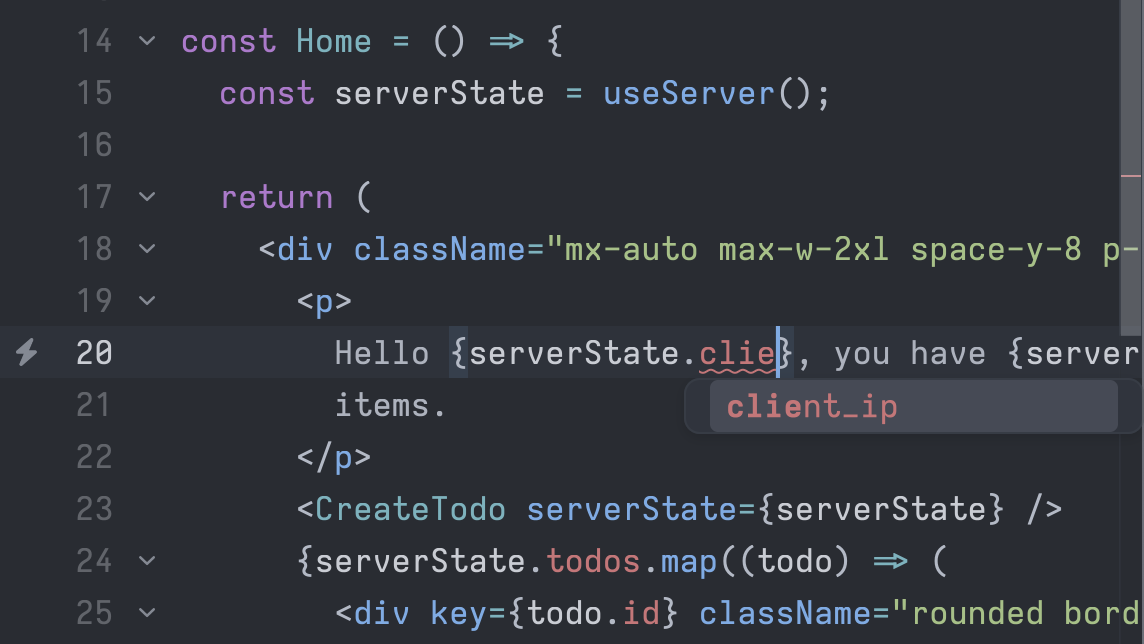
Mountaineer generates useServer() from the controller. Every HomeRender field becomes a typed property of serverState, available on the initial page load without another fetch. Your editor can suggest those fields as you type:
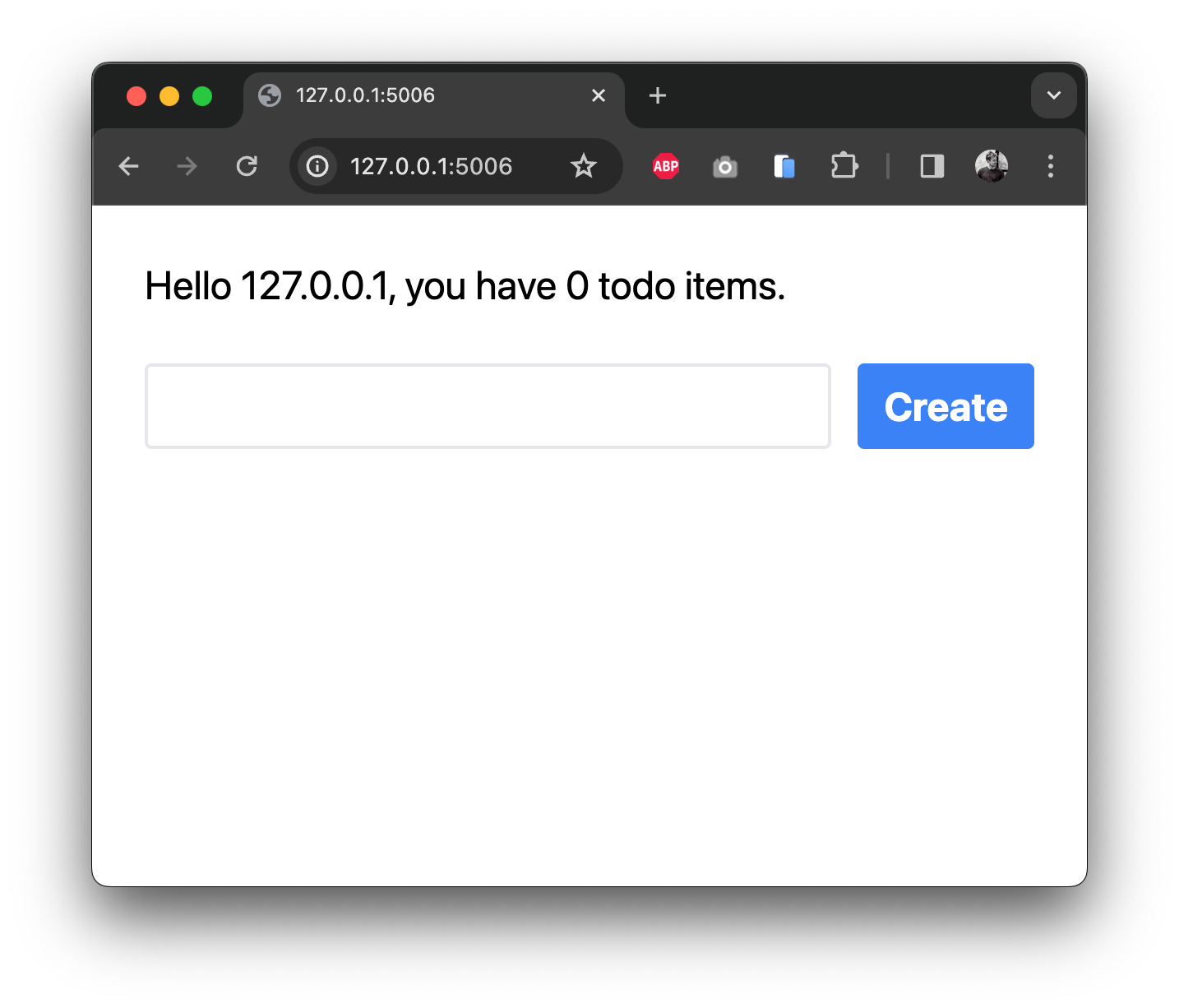
Open localhost:5006/ to see the welcome message and any existing todos. The form is visible, but its Create button has no action yet.
Try disabling JavaScript in your browser. Server-side rendering still displays the welcome message and todo list. Client interactions require JavaScript.
To create a todo, the server needs a description. NewTodoRequest validates that input, and add_todo saves it as a database row:
from pydantic import BaseModel

class NewTodoRequest(BaseModel):
    description: str

class HomeController(ControllerBase):
    ...

    @sideeffect
    async def add_todo(
        self,
        payload: NewTodoRequest,
        session: AsyncSession = Depends(DatabaseDependencies.get_db_session)
    ) -> None:
        new_todo =  TodoItem(description=payload.description)
        session.add(new_todo)
        await session.commit()
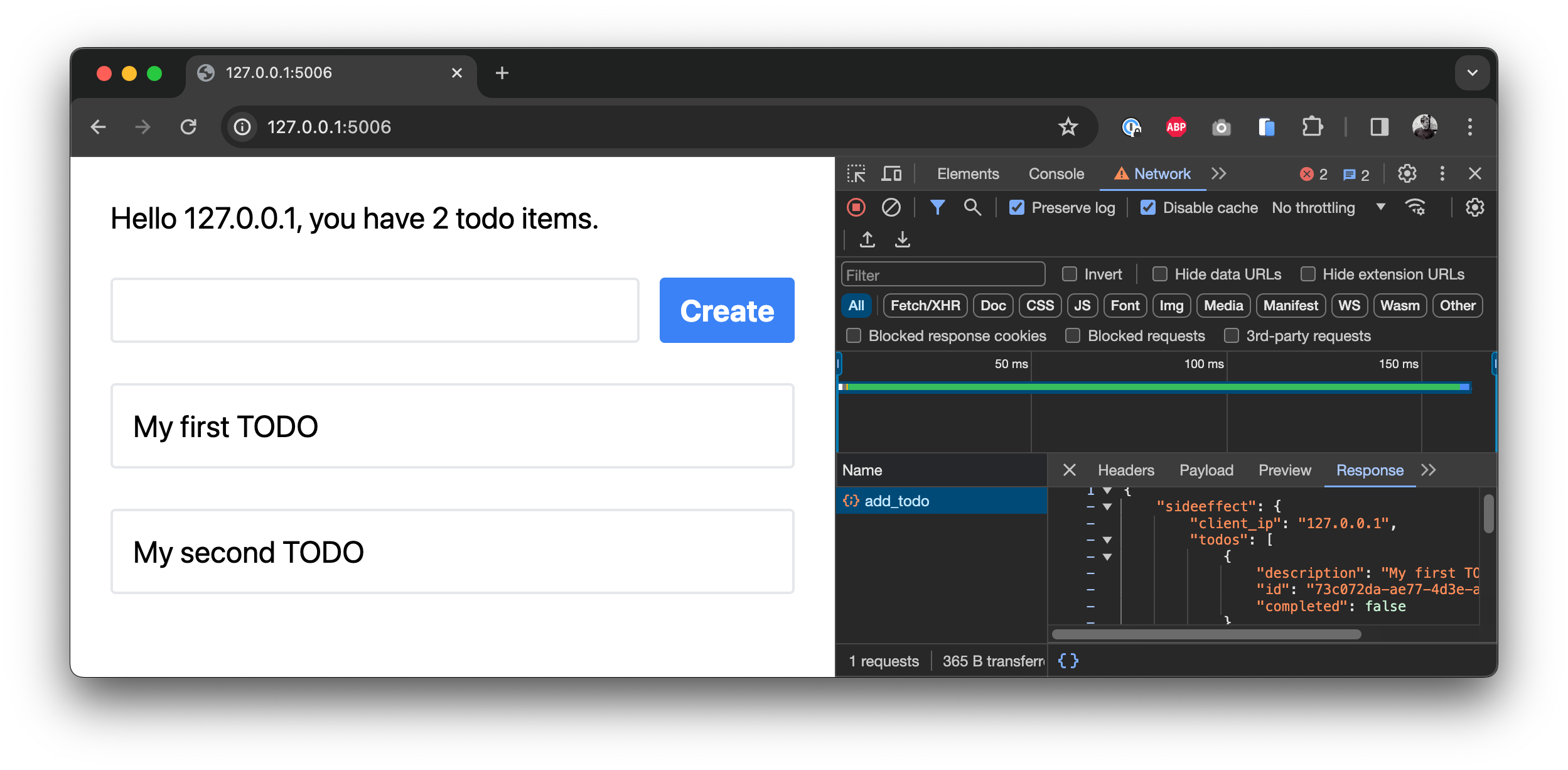
@sideeffect tells Mountaineer to call render() again after the action finishes and send the updated data to the client. The new todo then appears without a page reload.
Mountaineer also generates a typed async function for add_todo. Call it when the Create button is clicked:
import React, { useState } from "react";
import { useServer } from "./_server/useServer";

/* Replace the existing CreateTodo component definition you have */
const CreateTodo = ({ serverState }: { serverState: ServerState }) => {
  const [newTodo, setNewTodo] = useState("");

  return (
    <div className="flex gap-x-4">
      <input
        type="text"
        className="grow rounded border-2 border-gray-200 px-4 py-2"
        value={newTodo}
        onChange={(e) => setNewTodo(e.target.value)}
      />
      <button
        className="rounded bg-blue-500 px-4 py-2 font-bold text-white hover:bg-blue-700"
        onClick={
          /* Here we call our sideeffect function */
          async () => {
            await serverState.add_todo({
              requestBody: {
                description: newTodo,
              },
            });
            setNewTodo("");
          }
        }
      >
        Create
      </button>
    </div>
  );
};

...

export default Home;
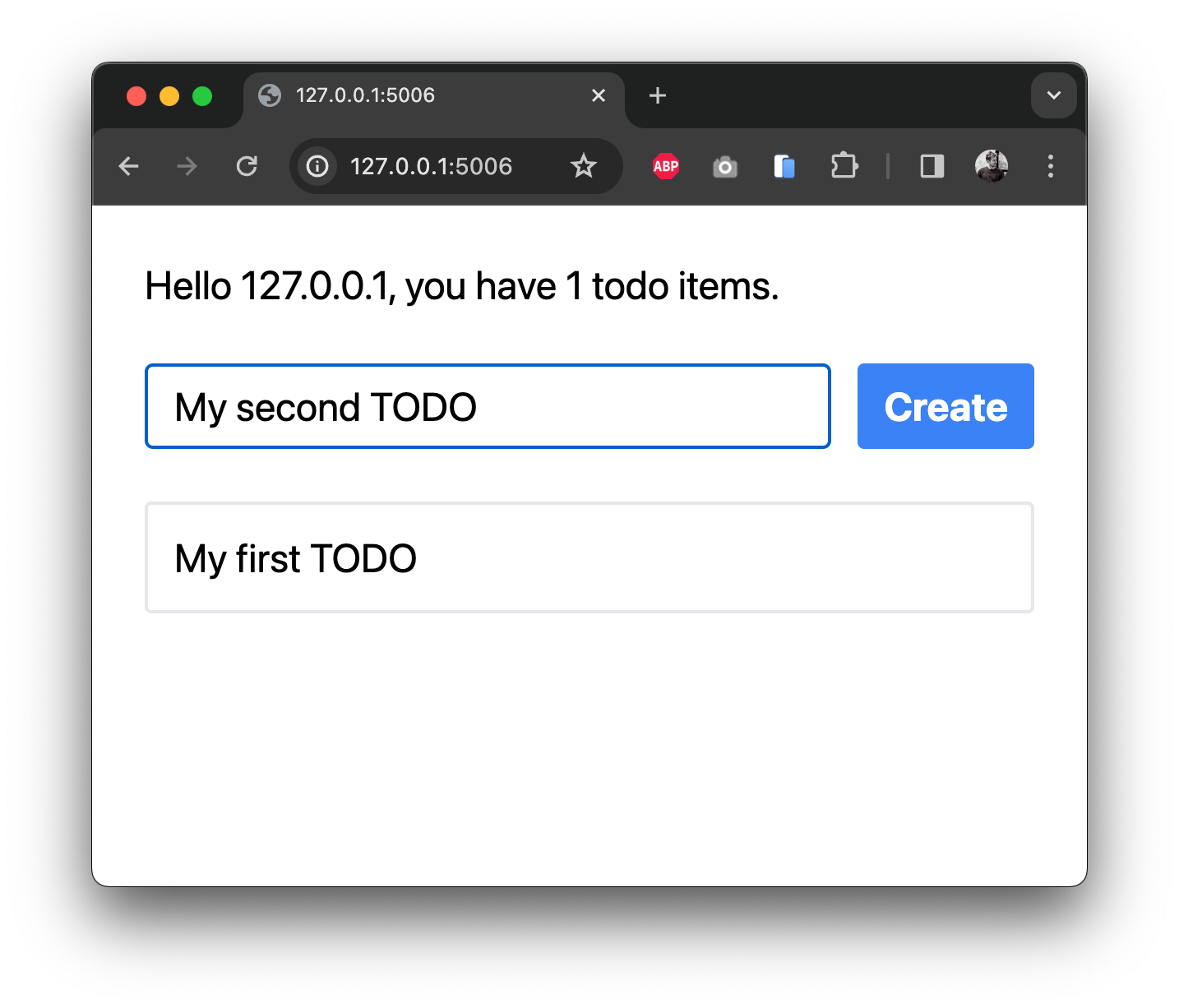
The component submits the description and clears the input. Mountaineer merges the sideeffect response into serverState, so the component doesn't need to append the new row itself.
Create a todo with your browser's network tools open. The POST request sends the description and receives the updated server state:
You can use serverState fields in components and hook dependencies just like other React state. The controller supplies the data, and sideeffects refresh it after mutations.
What's next?
From here, you can: